

学習コンテンツはどのような人に適しているか?
学習コンテンツは、SAPの知識をシンプルかつコンパクトに、そして実践的な方法で身につけたいと考えているすべての人のためにデザインされています。当社の学習プラットフォームは、初心者、上級者、エキスパート向けのコンテンツを提供しています。これにより、段階的に知識を深め、SAPエキスパートになるためのスキルを継続的に向上させることができます。
インフォメーション
エスプレッソチュートリアルの国際ウェブサイトにアクセスしています。日本語のウェブサイトに移動しますか?
ドイツ全土送料無料
クレジットカード、PayPal、ApplePay、GooglePay、または請求書
ドイツ国内への迅速な配送
ご注文に関するお問い合わせ
言語
English
ページ
284
レベル
中級
国際標準図書番号
9783960125211
ISBNプリント
9783960125112
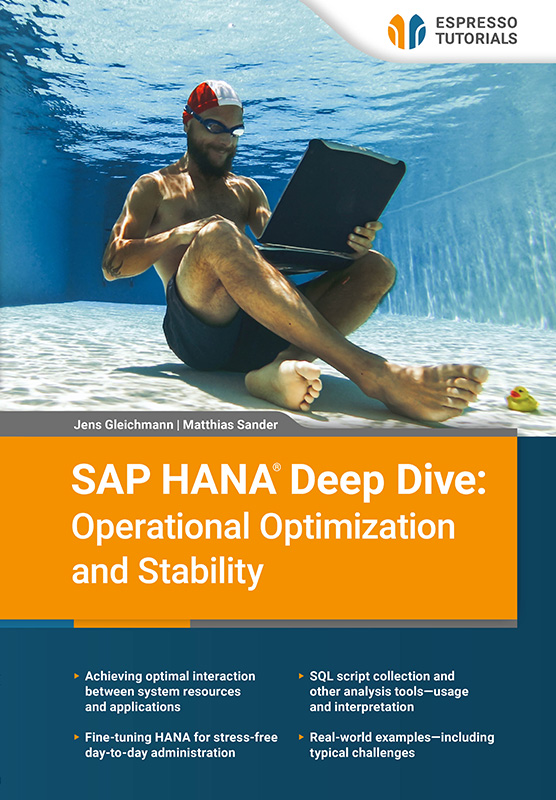
SAP HANA is an exceptionally powerful database, but mastering its full potential is an art. For database administrators, extracting maximum performance from optimally sized hardware while maintaining top-notch stability is no easy matter. In this expert guide, HANA migration and optimization experts share years of hands-on experience, offering a comprehensive toolkit to help HANA administrators maximize their databases. Explore essential SQL scripts for analysis, learn how to interpret them correctly, and gain critical insights into system sizing, database maintenance, and parameter tuning. Dive deep into workload management and discover how HANA handles CPU resources—and how you can fi ne-tune them for peak performance. Master table partitioning, explore the HANA optimizer, hints, and indexes, and benefi t from dedicated chapters on troubleshooting and advanced analysis tools. Packed with practical knowledge and expert tips, this book is your guide to unlocking the full potential of SAP HANA. Enjoy this entertaining and insightful deep dive into one of the most powerful database platforms available today!
As trainers in the SAP HANA environment, we often hear statements in our training courses and workshops that are not entirely true. One example is: “SAP HANA always stores all data in the main memory.” The truth is that SAP HANA keeps the most important data in the main memory. It can swap out data at any time according to load and unload criteria (including handling special cache areas, such as large object cache (LOB cache). This is especially true since the introduction of data tiering techniques such as SAP HANA Native Storage Extension (NSE). With this feature, data is selectively swapped out and loaded into a buffer (the NSE buffer cache), which occupies a limited memory area in the RAM, as required (data access). Data that is on request is read from disk into the NSE buffer cache on any kind of read access and will be evicted by reaching a threshold (parameter unload_threshold) or on memory pressure via LRU algorithm. The aim is to over-allocate the buffer so that more data is paged out. The delta between the paged-out data and the buffer is the amount of main memory saved.
Further reading on NSE
There is still no in-depth literature about NSE. However, you can refer to the following blog posts and SAP notes for more information about it:
It is often said that operating system (OS) monitoring tools show consistently high main memory consumption, with SAP HANA using too much memory. The truth is that the SAP HANA database manages the memory it requests from the OS and only returns it in certain situations. This is because memory that has already been allocated and predefined can be quickly reused. This saves time, and there are usually no other significant programs running on the system alongside SAP HANA. We therefore recommend not focusing on OS monitoring and instead monitoring the right KPIs in SAP HANA.
In SAP HANA parlance, we distinguish between two RAM areas:
The payload consists of the tables (column store and row store) of the database. Because tables are constantly loaded and unloaded, the term “static” is only partially accurate. In comparison, the term “dynamic” is more appropriate for the working memory—the remaining main memory after allocation to the OS, the SAP HANA code and stack, and user data. All SQL queries are processed in this area, which is dynamic by definition. Operations such as sorting and grouping or generating temporary result sets also use this fluctuating part of the RAM. Everything in SAP HANA that is not assigned to the “shared memory” is referred to as the heap. Figure 2.1 illustrates this concept in a comprehensive diagram.

Figure 2.1: SAP HANA main memory allocation
SAP recommends a 1:1 distribution between the areas of working space (50%) and payload (50%). In most cases, this is very generous and usually allows for several years of growth. In the era of virtualization and cloud computing, we recommend tighter resource allocation to minimize costs and environmental impact. If the workload is known and growth can be accurately predicted, additional payload allocation is recommended. However, this is not a general recommendation as it depends on the particular workload of the system. In most scenarios, a distribution of 70% user data to 30% working space is the maximum in the online transaction processing (OLTP) area without jeopardizing stability.
The fundamental question is: when should a system receive new resources? On the one hand, you cannot jeopardize stability or create a memory bottleneck. On the other hand, you need to consider the hardware costs. Because technology develops rapidly, it is not wise to invest in unused resources just to be prepared for the next five years. It is much better to monitor the right key figures and plan for resizing at an early stage.
Figure 2.2 shows the resizing process.
Figure 2.2: SAP HANA resizing
You can see the division of a 2-terabyte (TB) allocation into 1 TB user data and 1 TB working space. Once the payload reached the threshold value of 65%, it initiated a resizing to 3 TB. The growth from 300 GB to 1.3 TB RAM means that the tables now take up 43% of a 3 TB instance. However, most hosting companies and hyperscalers are like fashion retailers: they only offer certain sizes. You are likely to end up with memory you don’t need. Therefore, if possible, try to expand in small steps. You should also keep in mind that the sum of all tables does not always reflect the database’s usage behavior. If you are about to archive a large part of the database or if you use features such as NSE, this method of peak sizing will not work as desired. In SAP’s approach, peak sizing refers to the worst-case assumption that all data is loaded into the main memory and processed at once. This scenario almost never occurs but serves to prevent an undersized system.
As peak sizing may be imprecise, we recommend a more accurate approach: determining key figures for main memory usage with the statement HANA_Memory_Components (see Listing 2.1). This statement breaks down the heap into the most important components and displays the actual allocation at a specific point in time. To obtain representative values, you should always look at several points in time.
H_COL_GB: Heap memory consumed by component 'Column Store Tables' (GB) H_ROW_GB: Heap memory consumed by component 'Row Store Tables' (GB) H_SYS_GB: Heap memory consumed by component 'System' (GB), excluding NSE page cache (Pool/CS/BufferPage) H_NSE_GB: Heap memory consumed by NSE page cache (Pool/CS/BufferPage) H_STMT_GB: Heap memory consumed by component 'Statement Execution & Intermediate Results' (GB) H_CACHE_GB: Heap memory consumed by component 'Cache' (GB) H_MON_GB: Heap memory consumed by component 'Monitoring & Statistical Data' (GB)
Listing 2.1: HANA_Memory_Components output parameter
Let's take a look at the output parameters in detail:
H_COL_GB describes all column store tables. These should take up the largest part of your system by far and can be fully loaded depending on their use. H_ROW_GB represents the row store tables. These are always 100% loaded due to their design, and the area cannot be swapped out. H_SYS_GB component is limited to all allocators in the SYSTEM area. H_NSE_GB represents the cache for the buffer, as mentioned in Section 2.1.1. H_CACHE_GB refers to all other caches. H_STMT_GB component. H_MON_GB displays the statistical and monitoring data that is currently in the memory.With these key figures, you can partition your SAP HANA system into smaller components, reduce large areas through housekeeping, or drill down to object level using data from other statements.
Other variants can also be used as indicators. These include:
However, the resulting key figures must always be reviewed thoroughly and not accepted without verification.
Wasting resources
Incorrect interpretation and use of key figures often result in excessive hardware costs in an SAP HANA environment. We recommend an extensive review of your key figures, as SAP HANA may also misbehave if the allocation is too high. This potentially unique situation is then assumed to represent the peak and target value.
Determining and monitoring key figures
We recommend continuously monitoring the KPIs from Listing 2.1. This offers a long-term view, making it easier to identify abnormal deviations.
学習コンテンツは、SAPの知識をシンプルかつコンパクトに、そして実践的な方法で身につけたいと考えているすべての人のためにデザインされています。当社の学習プラットフォームは、初心者、上級者、エキスパート向けのコンテンツを提供しています。これにより、段階的に知識を深め、SAPエキスパートになるためのスキルを継続的に向上させることができます。
書籍、ビデオ、オンライントレーニングなど、SAP の製品は SAP の知識を簡潔かつ実践的に提供します。SAPの関連トピックを幅広くカバーし、4ヶ国語で高品質のコンテンツを提供し、個々のニーズに合わせた学習形式を採用しています。
当社の書籍は、明確な実践的フォーカスとコンパクトで理解しやすい表現が特徴です。複雑なSAPのトピックを簡潔に説明し、不必要なマーケティング用語を排除することで、読者が本質を素早く理解し、新しい知識を直接活用できるようにしています。
当社の印刷書籍は14日以内であれば、元の状態で返品可能です。
現在、書籍の発送はドイツ国内のみとさせていただいております。ドイツ国外からご注文の場合は、アマゾンでのご購入をお勧めします。
また、月額19ドルからのデジタル購読で、すべてのコンテンツにアクセスすることもできます。
私たちのチームはいつでも喜んでお手伝いし、できる限り迅速にご質問にお答えします(通常1~2日以内)。また、著者の一人に質問がある場合もご連絡ください。電子メール:contact@espresso-tutorials.com
SAP® ソフトウェアは複雑であり、解説が必要です。当社の最新かつ関連性の高いSAPコンテンツは、皆様が常に一歩先を行くための最良の方法の一つです。